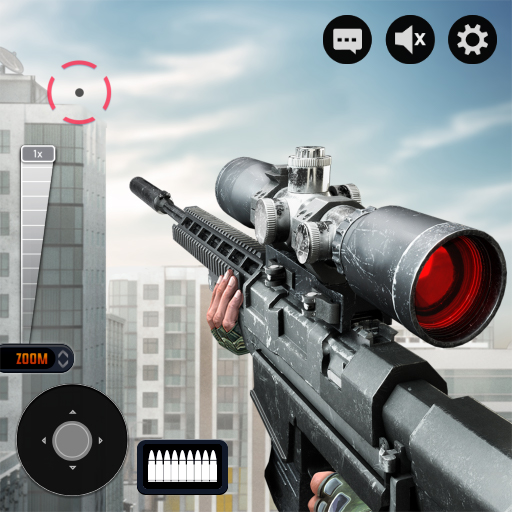
Sniper 3D: Gun Shooting Games – Download, Guide & Review
LoraFiles provides Sniper 3D: Gun Shooting Games with a fast, safe, simple, and reliable download experience for Android. Our goal is to help users reach a verified source, download securely, and install the game without unnecessary complications or unsafe modified files.
Table of Contents
Overview of Sniper 3D: Gun Shooting Games
Sniper 3D: Gun Shooting Games is developed by Wildlife Studios and is published on Google Play under Wildlife Studios. Its Android release is commonly listed as November 13, 2014, which aligns with Wildlife Studios celebrating the game’s 10th anniversary in November 2024. The game is available for Android through the Google Play Store and combines first-person shooting, sniper missions, weapon upgrades, PvE challenges, and competitive PvP gameplay.
What makes Sniper 3D: Gun Shooting Games stand out is its focus on quick sniper missions with simple touchscreen aiming and a large selection of weapons. Players can complete hundreds of missions, progress through different locations, play offline content, and compete against other players in real-time multiplayer modes.
(Suggestion: More Shooting games, I will suggest you also play this Call of Duty: Mobile, Modern Ops: Gun Shooting Games, Pure Sniper: Gun Shooter Games.)
Security, Privacy & Permissions
The Google Play Store is the official and trusted Android distribution platform for Sniper 3D: Gun Shooting Games. The Google Play listing states that the game may collect several types of user data and may share information such as location, app information and performance data, and device or other identifiers with third parties. Google Play also states that data is encrypted in transit and that users can request deletion of their data.
Android permissions and data access can vary according to the device, region, game features, and Google Play configuration. Internet access is required for features such as real-time PvP, online services, advertisements, and purchases, while supported single-player missions can be played offline. Review the permissions displayed by Android during installation and in your device settings.
For better security, download Sniper 3D: Gun Shooting Games only from the official Google Play Store or through the verified source provided by LoraFiles. Avoid unofficial APKs, modified installers, cracked packages, or unknown third-party download sources.
Main Features
Sniper Shooting Gameplay
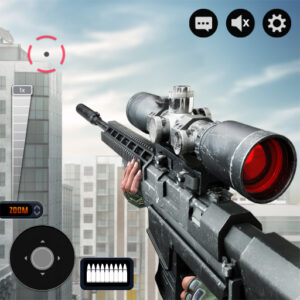
Take the role of a sniper and complete shooting missions by locating targets, aiming through your scope, and firing accurately. The controls are designed around straightforward touchscreen aiming and shooting.
Hundreds of Missions
The game provides hundreds of missions across multiple cities and environments. Completing objectives helps you progress to new areas while earning in-game rewards and experience.
Large Weapon Collection
Players can unlock sniper rifles as well as other weapon categories such as assault rifles, shotguns, and pistols. Weapons can also be improved through different upgrades and attachments.
Offline Missions
Supported single-player missions can be played without a constant Wi-Fi or mobile-data connection. This makes the game useful for players who want shooting gameplay when internet access is limited.
PvE and Real-Time PvP
Players can complete PvE missions or enter competitive multiplayer battles against other players. Wildlife Studios also describes worldwide multiplayer competition as an important part of the game.
Multiple Locations
Missions take place across different cities and environments, giving players changing targets and scenarios instead of keeping the action in a single location.
Performance
Sniper 3D: Gun Shooting Games uses 3D environments, animations, weapon effects, and online gameplay, so actual performance depends heavily on the Android device. Older or low-end phones may experience longer loading periods or less consistent frame rates, while recent mid-range and high-end devices should generally provide smoother gameplay and faster transitions. These are practical expectations rather than official benchmark guarantees.
Offline missions can reduce continuous network usage, but multiplayer PvP, advertisements, account services, events, and other online functions require an internet connection and can consume mobile data. Loading speed on Android also depends on the device’s internal storage performance, available memory, and background applications.
System Requirements
Google Play does not publish a fixed universal hardware specification for every supported Android device. The figures below are practical estimates for comfortable gameplay rather than official Wildlife Studios requirements.
| Minimum | Requirements | Maximum / Recommended |
|---|---|---|
| Android 8 or newer | Operating System | Android 12 or newer |
| Quad-core mobile CPU | Processor | Recent octa-core mobile CPU |
| 3 GB RAM | Memory | 6 GB RAM or more |
| OpenGL ES 3.0-capable mobile GPU | Graphics | Recent Adreno, Mali, or equivalent GPU |
| Around 2 GB free space | Storage | 4 GB or more free space |
Because Google Play compatibility can vary by device, the most reliable check is whether Google Play allows installation on your specific Android phone or tablet.
Pros & Cons
Pros
- Simple sniper shooting controls
- Hundreds of missions
- Offline gameplay available
- PvE and multiplayer PvP modes
- Large selection of weapons
- Multiple cities and environments
Cons
- Contains advertisements
- Includes in-app purchases
- Multiplayer requires internet access
- Online play can use mobile data
- Performance varies on older devices
- Mature violent content
Conclusion
Sniper 3D: Gun Shooting Games is a long-running Android shooting game with sniper missions, weapon progression, offline content, and competitive multiplayer. Download it through the official Google Play Store or the verified source provided by LoraFiles for a safer and simpler installation experience.