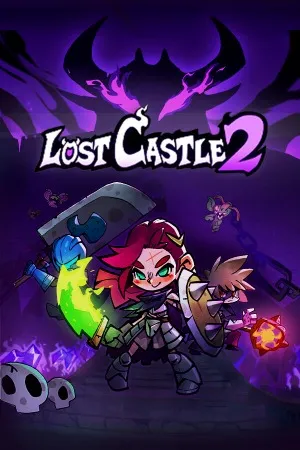
Lost Castle 2 – Complete Guide & Review
Anyone searching for a fast, safe, and simple way to download Lost Castle 2 wants the same thing: a clean installer without pop-ups, bundled junk, or shady redirects. This roguelike action game has built a loyal following among fans of co-op dungeon crawlers, and getting a verified copy matters just as much as the gameplay itself. LoraFiles provides the latest version of Lost Castle 2, scanned and ready to install, so new players and returning fans can jump into the castle without worrying about what else might be hiding in the download. This guide covers what the game offers, how it performs, and what your system needs to run it comfortably.
Table of Contents
About Lost Castle 2
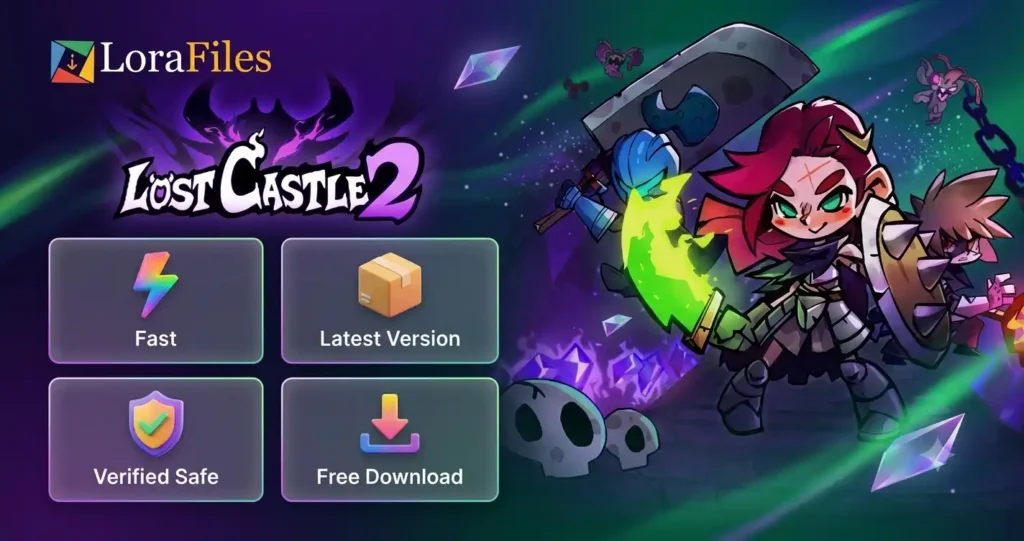
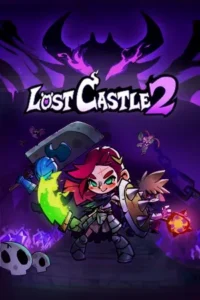
Lost Castle 2 is a co-op action roguelike developed by Hunter Studio, the same team behind the original Lost Castle. Set in a cursed, ever-shifting castle overrun by monsters, the game tasks players with battling through procedurally generated rooms, collecting loot, and unlocking new characters and weapons with each run. It supports both solo play and local or online co-op for up to four players, which has made it a popular pick among friend groups looking for a chaotic, replayable dungeon crawler.
Since its release, Lost Castle 2 has built a solid player base on Steam, praised for its hand-drawn art style and satisfying melee combat. What sets it apart from similar roguelikes is its heavier focus on physical, weight-based combat, where weapon size and swing speed genuinely change how encounters play out, rather than relying purely on stat upgrades.
Key Features of Lost Castle 2
- Four-player co-op – Team up locally or online to fight through the castle together.
- Procedurally generated levels – Every run offers a different layout, keeping playthroughs fresh.
- Weight-based combat system – Weapon size and speed affect strategy, not just damage numbers.
- Large weapon and equipment variety – Dozens of weapons with distinct movesets to experiment with.
- Unlockable character roster – New playable characters open up as you progress.
- Hand-drawn art style – Distinct visual design that separates it from generic pixel-art roguelikes.
- Permadeath progression system – Runs are challenging, but meta-progression keeps failure meaningful rather than frustrating.
User Experience of Lost Castle 2
Controls are straightforward, built around simple attack, dodge, and block inputs that work well with either a keyboard and mouse or a controller. The interface keeps things minimal during runs, with an inventory and equipment screen that stays easy to navigate even when loot starts piling up. Menus are clean, and switching between characters or reviewing unlocked content doesn’t require digging through nested submenus.
The learning curve is gentle at first, since basic combat is easy to pick up, but mastering weapon weight and timing takes longer and can feel unforgiving for newcomers to the genre. A minor drawback some players note is that co-op matchmaking can occasionally be slow to fill lobbies, and camera positioning in tighter rooms with four players can get a little cluttered. Overall, though, the experience feels responsive and rewarding once the core mechanics click.
Performance of Lost Castle 2
Lost Castle 2 starts up quickly and loads between rooms with minimal delay, even during longer sessions. Combat feels responsive, with little to no input lag noticed during testing, and the game maintains stable frame rates during busy four-player fights, which is often where roguelikes tend to stutter.
On mid-range hardware, the game runs smoothly at high settings without needing significant tweaks. Older systems may need to lower shadow quality or resolution scaling for consistent performance, but the game is generally well optimized rather than demanding. The developers have maintained a steady patch cadence since launch, addressing balance issues and stability bugs, which suggests reasonable long-term support rather than a title left untouched after release.
Compatibility & Requirements of Lost Castle 2
| Requirement | Minimum | Recommended |
|---|---|---|
| Operating System | Windows 10 (64-bit) | Windows 10/11 (64-bit) |
| RAM | 4 GB | 16 GB |
| Storage Space | 4 GB available space | 4 GB available space |
| Processor | Dual Core 2 GHz | Intel Core i5 or equivalent |
| Graphics/GPU | Intel HD 530 (AMD or NVIDIA equivalent) | GTX 1050 or equivalent, 4 GB VRAM |
| Internet Connection | Required for online co-op only | Stable broadband for online co-op |
Download & Safety Note of Lost Castle 2
Always download Lost Castle 2 from trusted sources rather than unofficial mirrors, which can carry malware, adware, or modified installer files. Before running any installer, it’s good practice to verify the publisher and digital signature to confirm the file hasn’t been tampered with. LoraFiles keeps this simple with its Fast. Safe. Simple. approach, offering scanned files so you can install with confidence instead of guesswork.
Conclusion of Lost Castle 2
Lost Castle 2 delivers a satisfying blend of roguelike replayability and weighty, physical combat that rewards both solo focus and chaotic co-op play. Its hand-drawn visuals, expanding weapon roster, and steady post-launch support make it a strong pick for players who enjoy dungeon crawlers with real progression depth. It’s best suited for fans of co-op action games and roguelike veterans looking for a fresh combat system, though newcomers to the genre may need a few runs to adjust. For anyone wanting a replayable, visually distinct dungeon crawler to play alone or with friends, Lost Castle 2 is well worth downloading.