eM Client Pro – Download, Guide & Review
LoraFiles provides eM Client with a fast, safe, simple, and reliable download experience for Windows. Every link on our page points to a verified source, so you can install this email client without worrying about bundled junk, fake installers, or broken files. Setup takes just a few minutes, and you’ll be checking your inbox in no time.
Whether this is your first time installing eM Client or you’re updating from an older build, this guide has you covered. Below, we’ll walk through an overview of the app, its security and permissions, key features, performance on different hardware, full system requirements, and an honest look at its pros and cons before wrapping up with our final take.
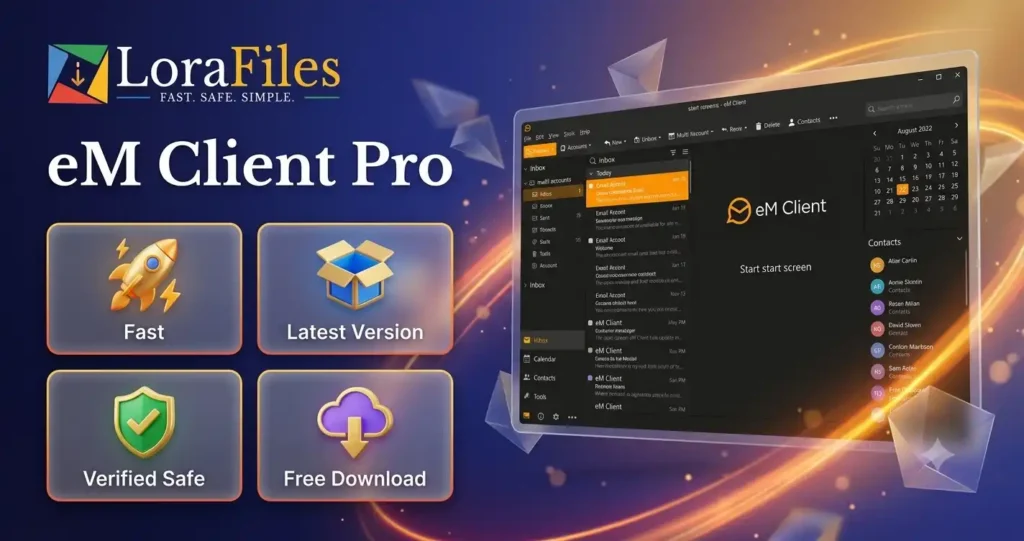
Table of Contents
Overview of eM Client
eM Client is developed by eM Client s.r.o., a Czech software company, and is both developed and published in-house. The version covered in this article is v10.4.5647, and available for Windows through eM Client’s own official distribution channel. It falls under the Productivity Tool and Email Client category, combining email, calendar, tasks, contacts, notes, and chat into a single desktop application.
What makes eM Client stand out is how much it fits into one window without feeling cluttered. It connects to nearly every major email service, including Gmail, Outlook, Exchange, and iCloud, and it can automatically import your data from other clients like Outlook or Thunderbird. On top of that, it includes handy extras like PGP encryption, snoozing emails, and quick text expansions that a lot of basic mail apps simply don’t offer.
(Suggestion: If you like productivity-focused email tools like eM Client, I will suggest you also try Mailbird, Mozilla Thunderbird, and Microsoft Outlook.)
Security, Privacy & Permissions
eM Client is distributed through its own official website, which we treat as a trusted and verified source for this article. The application only requires standard Windows access to install correctly, save your local database and settings, and run your email, calendar, and chat features. It also needs an active internet connection to set up and sync your email accounts.
To stay safe, we recommend downloading eM Client only from LoraFiles‘ verified link or eM Client’s official channel. Avoid unofficial mirrors or modified installers claiming to unlock paid features for free, since these are common sources of malware and unwanted bundled software.
Main Features
Unified Communication Hub – Manage email, calendar, tasks, contacts, notes, and chat all from one clean interface instead of juggling separate apps.
Broad Email Service Support – Connects easily with Gmail, Outlook, Exchange, iCloud, and most other IMAP/POP3 or EWS-based providers.
Automatic Data Import – Pulls your existing mail, contacts, and settings in from Outlook, Thunderbird, Windows Mail, and other major clients during setup.
Integrated Calendar & Tasks – Includes day, week, month, and agenda views, plus shared calendars and reminders, along with a full task manager for tracking to-dos.
PGP Encryption – Lets you encrypt and digitally sign outgoing messages for added privacy on sensitive communications.
Snooze & Quick Text – Snooze emails to deal with later, and use saved Quick Text snippets to speed up replies you send often.
Customizable Themes – Switch between light, dark, and other built-in themes, or tweak the interface to match your workflow.
Meeting Integrations – Set up and join online meetings directly through Zoom, Microsoft Teams, or Google Meet without leaving the app.
Performance & Requirements
On low-end hardware, eM Client should still run smoothly for everyday email and calendar use, since the app is fairly light on system resources. That said, if you manage several large accounts, sync heavy attachment history, or keep multiple calendars active at once, a mid-range or higher-end machine will keep things noticeably snappier, especially when searching through a large mail database.
Load and sync times will generally be faster on an SSD compared to a traditional HDD, particularly the first time you set up an account and eM Client downloads your existing mail history. Since it’s an email and calendar client, an active internet connection is required for syncing new messages and calendar updates, though you can still browse previously downloaded mail offline.
System Requirements
| Component | Minimum | Recommended |
|---|---|---|
| Operating System | Windows 10 | Windows 10/11 (latest updates) |
| Processor | 1.6 GHz CPU | Dual-core CPU or higher |
| Memory | 2 GB RAM | 4 GB RAM or more |
| Graphics | Standard integrated graphics | Standard integrated or dedicated graphics |
| Storage | 350 MB free space (plus extra for mail data) | 1 GB+ free space recommended |
| Other | Internet connection for account setup and sync | Stable broadband connection |
If you run into install or launch issues, try a few common fixes first: make sure Windows is fully updated, confirm your graphics drivers are current, restart your PC, and close any background apps that might be competing for memory before reinstalling eM Client.
Pros & Cons
Pros
- Combines email, calendar, tasks, contacts, and chat in one app
- Wide compatibility with Gmail, Outlook, Exchange, and iCloud
- Easy data import from other email clients
- Built-in PGP encryption for secure messaging
- Customizable themes, including a dark mode
- Direct integration with Zoom, Teams, and Google Meet
Cons
- Some advanced features require a paid Pro license
- Can feel resource-heavy with very large mail databases
- Free version limits the number of connected accounts
- Initial sync of large mailboxes can take a while
- Interface may feel busy to users wanting a minimal inbox
- Requires an internet connection for full functionality
Conclusion
For anyone juggling multiple email accounts, calendars, and daily tasks, eM Client offers a genuinely practical way to bring it all into one place without switching between apps all day. Its strong service compatibility, encryption support, and thoughtful extras like Quick Text and snoozing make it a solid pick for both personal and professional use.
Ready to give it a try? Grab eM Client through LoraFiles today, backed by our fast, safe, and reliable download promise from fully verified sources.