CrossOver – Complete Guide & Review
If you want to run many Windows applications and games on macOS without installing a full copy of Windows, CrossOver is designed to make that process much simpler. Developed by CodeWeavers, this software helps users launch supported Windows programs directly on macOS through a compatibility layer rather than traditional virtualization.
Whether you’re a gamer, professional, student, or creative user, CrossOver offers a practical way to access Windows-only software while staying within macOS. Features such as Windows application compatibility, easy installation, performance optimization, and regular updates make it a popular choice for users who need flexibility.
LoraFiles provides verified downloads, helping users access the latest v26.3.0 installer with confidence. Before installing, it’s always a good idea to review system requirements and compatibility to ensure the best possible experience.
Table of Contents
About CrossOver
CrossOver is commercial compatibility software created by CodeWeavers that enables many Windows applications and games to run directly on macOS. Instead of creating a virtual machine or requiring a separate Windows installation, it translates Windows system calls into macOS-compatible instructions.
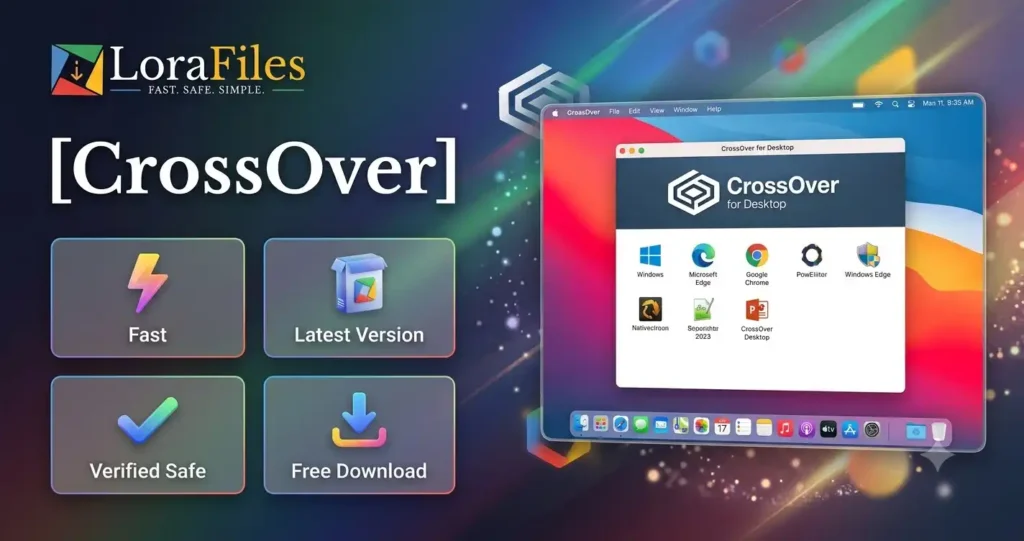
The software is designed for users who want access to Windows-exclusive applications while continuing to use macOS as their primary operating system. This includes professionals using business software, gamers playing compatible Windows titles, developers testing applications, and students needing Windows-only educational tools.
One of the biggest reasons users choose the standalone installer is convenience. It allows installation without relying on app stores and provides direct access to the latest available version. Depending on application compatibility, users can often begin using supported Windows software with only a few setup steps.
LoraFiles helps users download the latest verified installer while encouraging installation from trusted sources and checking compatibility before use.
What’s New in the latest version 26.3.0
The latest v26.3.0 release continues to refine the CrossOver experience with improvements that generally focus on compatibility, stability, and usability. While individual changes may vary depending on the official changelog, newer releases are typically designed to improve support for additional Windows applications and games.
Users may notice better installation reliability, smoother application launches, and enhanced compatibility with recent macOS versions. Performance optimizations can also help supported software run more consistently during everyday use.
Interface refinements may make setup and configuration easier for new users, while ongoing maintenance updates are generally intended to improve long-term stability.
As with every major update, reviewing the official release notes is recommended to understand application-specific improvements and newly supported software.
Main Features
Run Windows Applications on macOS
CrossOver allows many Windows programs to operate directly on macOS without installing Windows itself. This simplifies the workflow for users who depend on Windows-exclusive software while reducing storage requirements compared to traditional virtual machines.
Easy Software Installation
The installation process is designed to be straightforward. CrossOver includes tools that help users install supported applications with fewer manual configuration steps, making it accessible even for beginners.
Wide Software Compatibility
CrossOver supports a large collection of Windows applications and games, although compatibility varies between programs. Users can check compatibility information before installation to determine whether their preferred software is expected to work well.
Optimized Performance
Because CrossOver uses a compatibility layer instead of a complete virtual operating system, supported applications may use system resources more efficiently. This approach can provide a smoother experience for compatible software while reducing unnecessary overhead.
Regular Compatibility Updates
CodeWeavers continually works to improve software support through updates. New releases typically enhance compatibility, resolve known issues, and improve support for newer versions of macOS and Windows applications.
Simple Management Tools
CrossOver provides management tools that make organizing installed Windows applications easier. Users can create separate environments, manage installations, and customize settings without requiring advanced technical knowledge.
For users looking for the latest installer, LoraFiles offers a verified download source while encouraging users to review compatibility information before installation.
Performance Review
CrossOver generally delivers responsive performance when running supported Windows applications on macOS. Since it avoids running an entire Windows operating system, startup times may feel quicker than traditional virtualization in many situations.
Installation is typically straightforward, especially for widely supported applications. Resource usage depends on the specific software being used, but many compatible applications can operate smoothly on supported macOS systems.
Long-term usability also benefits from frequent updates, allowing the software to improve compatibility with newer applications and operating system versions over time.
Security, Privacy & Permissions
When downloading CrossOver, it’s important to use trusted and verified sources. LoraFiles provides verified downloads to help users obtain authentic installation files while encouraging users to confirm file integrity whenever possible.
Like many desktop applications, CrossOver may request permissions necessary for installation and operation within macOS. Users should carefully review these permissions before granting access.
CodeWeavers has an established reputation for developing compatibility software, and users are encouraged to keep the software updated to receive the latest improvements and security-related fixes. Reviewing the official privacy information before installation is also recommended.
Pros & Cons
Pros
- Supports many Windows applications on macOS.
- No full Windows installation required.
- Straightforward installation process.
- Regular compatibility improvements.
- Efficient resource usage for supported software.
- Suitable for both work and gaming.
Cons
- Not every Windows application is supported.
- Compatibility varies between programs.
- Some advanced software may require additional configuration.
- Commercial software requires a license for continued use.
Overall, CrossOver is an excellent option for users who frequently need compatible Windows applications without maintaining a separate Windows installation.
Common Problems & Fixes
Installation Failed
Installation issues may occur because of insufficient permissions or an unsupported macOS version.
Solution: Verify that your Mac meets the minimum macOS requirement, download the installer again from LoraFiles, and ensure you have administrator privileges.
Application Doesn’t Launch
Some Windows applications may not be fully compatible.
Solution: Check the application’s compatibility status, install recommended dependencies if available, and update to the latest CrossOver version.
Slow Performance
Performance can vary depending on the application being used.
Solution: Close unnecessary background applications, ensure sufficient available storage, and keep macOS updated for improved compatibility.
Update Problems
Updates may occasionally fail because of interrupted downloads or installation conflicts.
Solution: Download the latest installer again, restart your Mac, and retry the update process using the newest version.
Compatibility Issues
Some newly released Windows software may require additional compatibility improvements.
Solution: Check whether a newer CrossOver release adds support for your application, or consult official compatibility information before installing.
Frequently Asked Questions
Is CrossOver free?
CrossOver is commercial software. Trial options may be available, but continued use generally requires purchasing a license from the developer.
Is CrossOver safe to download?
Downloading from trusted sources is recommended. LoraFiles provides verified downloads, and users should always review permissions and verify files before installation.
Does CrossOver work offline?
The software can generally run installed applications offline, although some applications themselves may require an internet connection for activation or online features.
Do I need administrator privileges?
Administrator permissions are usually required during installation because system components may need to be configured properly.
Where can I download CrossOver?
You can download the latest CrossOver v26.3.0 from LoraFiles or obtain it from the official developer’s website, depending on your preferred download source.
Conclusion
CrossOver offers an effective way for macOS users to run many Windows applications and games without installing a complete Windows operating system. Its compatibility-focused design, straightforward installation process, regular updates, and efficient resource usage make it a valuable solution for professionals, students, developers, and gamers alike.
Although compatibility varies between individual applications, CrossOver continues to improve through ongoing development by CodeWeavers. Before installing, it’s recommended to review compatibility information and ensure your Mac meets the required system requirements.
LoraFiles provides verified downloads of the latest v26.3.0 release, making it easier to access the installer from a trusted source. If you regularly need Windows software on macOS, CrossOver is a practical solution worth considering.