LoraFiles provides TheoTown with a fast, safe, simple, and reliable download experience for Windows PC. Every download link on LoraFiles points to a verified source, so you can install the game with confidence. The setup is quick and easy, and you can start building your city in minutes.
Table of Contents
Overview of TheoTown
TheoTown is a city-building simulation game developed by Lobby and published by blueflower. It was released on Jun 5, 2019 for Windows and is distributed through Steam. You build and manage a city from scratch. You zone land, lay roads, provide power and water, and keep your citizens happy while the budget stays healthy.
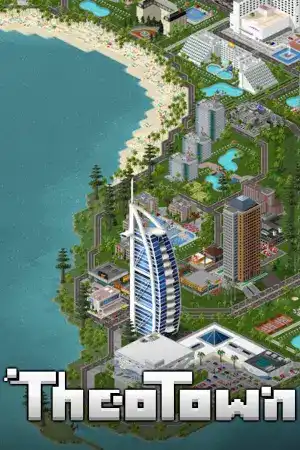
What makes TheoTown stand out is its retro pixel-art look, which reminds many players of classic city builders. It is simple to learn but still has plenty to manage. It also has a built-in plugin system, so you can add new content to your game.
(Suggestion: More Simulation, I will suggest you also play this Cities: Skylines, Banished, Parkitect.)
Security, Privacy & Permissions
TheoTown is distributed through Steam, which is a trusted and official platform. The game only needs standard Windows access to install, save your cities, and run gameplay. It does not need anything unusual on your PC.
We recommend downloading only from the official Steam page or the verified link on LoraFiles. Avoid unofficial or modified installers, because they can carry unwanted software and cause crashes.
Main Features
City Building Simulation
Plan your city from the ground up. Place zones, roads, and services, then watch your city grow.
Retro Pixel-Art Style
The clean pixel-art look is easy on the eyes and runs smoothly. It gives the game a classic city-builder feel.
Plugin and Mod Support
The game has a built-in plugin system. You can add new buildings and extra content to change how your city looks and plays.
Budget and Resource Management
You manage money, power, water, and city services. Smart choices keep your city growing, and poor ones show up fast.
Disasters and City Challenges
Fires and other problems can hit your city, so you need to stay ready. This keeps the gameplay fresh and tests your planning.
Multiplayer and Cross-Platform Play
You can build with friends and share the fun. The game is also available on mobile, so you can enjoy it on other devices too.
Performance
TheoTown is very light, and it runs well on low-end PCs, even those with basic integrated graphics. On mid-range and high-end hardware, expect smooth gameplay and fast city growth, even as your map gets bigger.
Load times are quick, and installing the game on an SSD makes it a bit faster than on an HDD. The core game works offline for solo play. An internet connection is only needed for online features like multiplayer and downloading plugins.
System Requirements
| Minimum | Requirements | Maximum |
|---|---|---|
| Windows 7 | Operating System | Windows 10 |
| Intel Pentium | Processor | Intel Core i5 |
| 1 GB RAM | Memory | 2 GB RAM |
| Intel Integrated Graphics | Graphics | Dedicated Graphics Card |
| 200 MB available space | Storage | 500 MB available space |
| Compatible with Windows | DirectX | Compatible with Windows |
Pros & Cons
Pros
- Runs well on low-end PCs
- Small download size
- Easy to learn
- Nice retro pixel-art style
- Plugin support for extra content
- Multiplayer and mobile-friendly
Cons
- Simpler than big modern city builders
- Graphics are basic
- Plugins need an internet connection
- Large cities need careful planning
- Multiplayer requires internet
- Less depth for advanced players
Gameplay
Conclusion
TheoTown is a light, easy, and fun city builder for anyone who loves simulation games. Download it safely from the verified source on LoraFiles and start building your city today.